
OrientDig shipping guide
Use the official OrientDig shipping calculator to compare international routes, billing weights and parcel charges.
Estimate international shipping
Compare live routes with the official calculator. Plan the seller-to-warehouse leg separately from the international parcel.
1. Enter packed parcel details
Choose the destination and enter the packed weight in grams. Enter length, width and height in centimeters. Use the mail restriction options for the actual contents, then calculate available routes.
View the calculator screenshot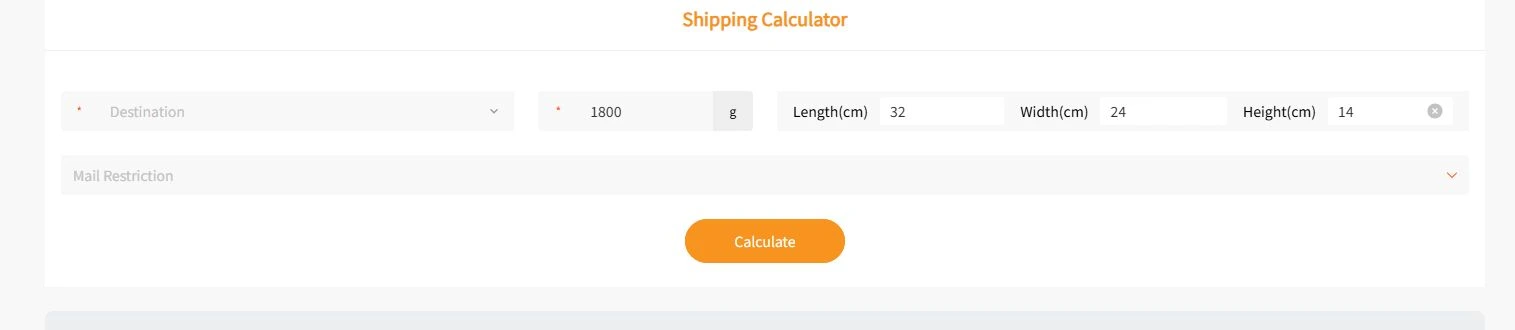
2. Compare billable weight
Some routes bill whichever is greater, scale weight or volumetric weight.
40 × 30 × 25 cm ÷ 6,000 = 5 kg
- Scale weight
- 2 kg
- Example billable weight
- 5 kg
3. Check route terms
Compare eligible lines using the same parcel details. Read the size and item rules, tracking, insurance and estimated delivery window. Review the route terms and destination rules for possible import charges.
Official logistics guidance4. Pack, pay and track
Review your warehouse QC before selecting items for the parcel. If dimensions are uncertain, look for rehearsal packing. Review the deposit and final charge after packing, then follow tracking in your account once the parcel ships.
The worked example shows weight only. The route quote in OrientDig depends on destination, packed size, contents and available services.
What to check after paying for a parcel
Keep the parcel ID and check the status after submission. The warehouse may still be verifying your parcel or waiting for carrier pickup. Once dispatched, save the tracking number and check the carrier scan history if the status stops updating.
If the packed dimensions or carrier measurement differ from the initial estimate, open the final billing details in your account. For a delayed or returned parcel, check the last tracking event and give support the parcel ID so it can review that shipment.